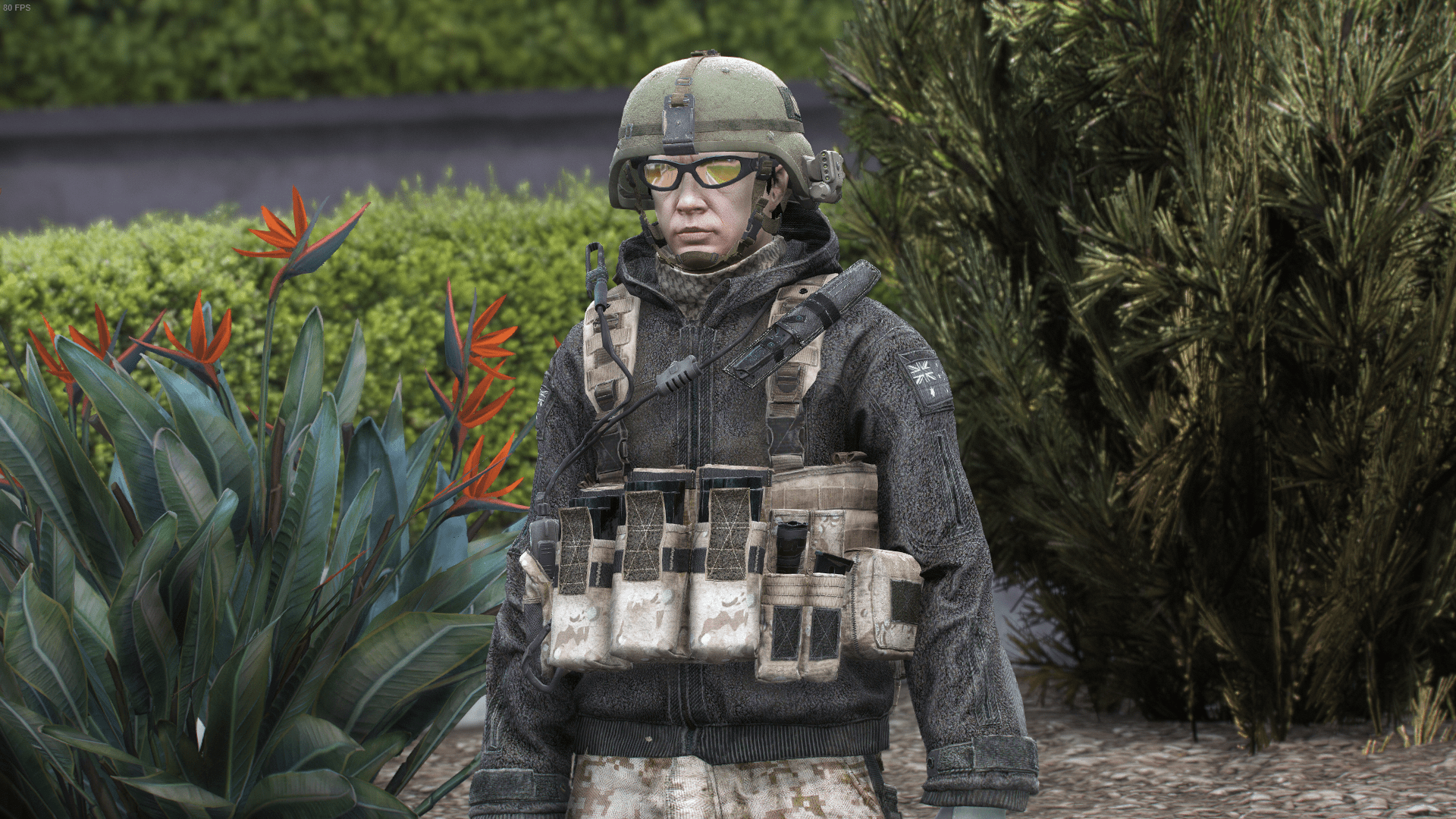
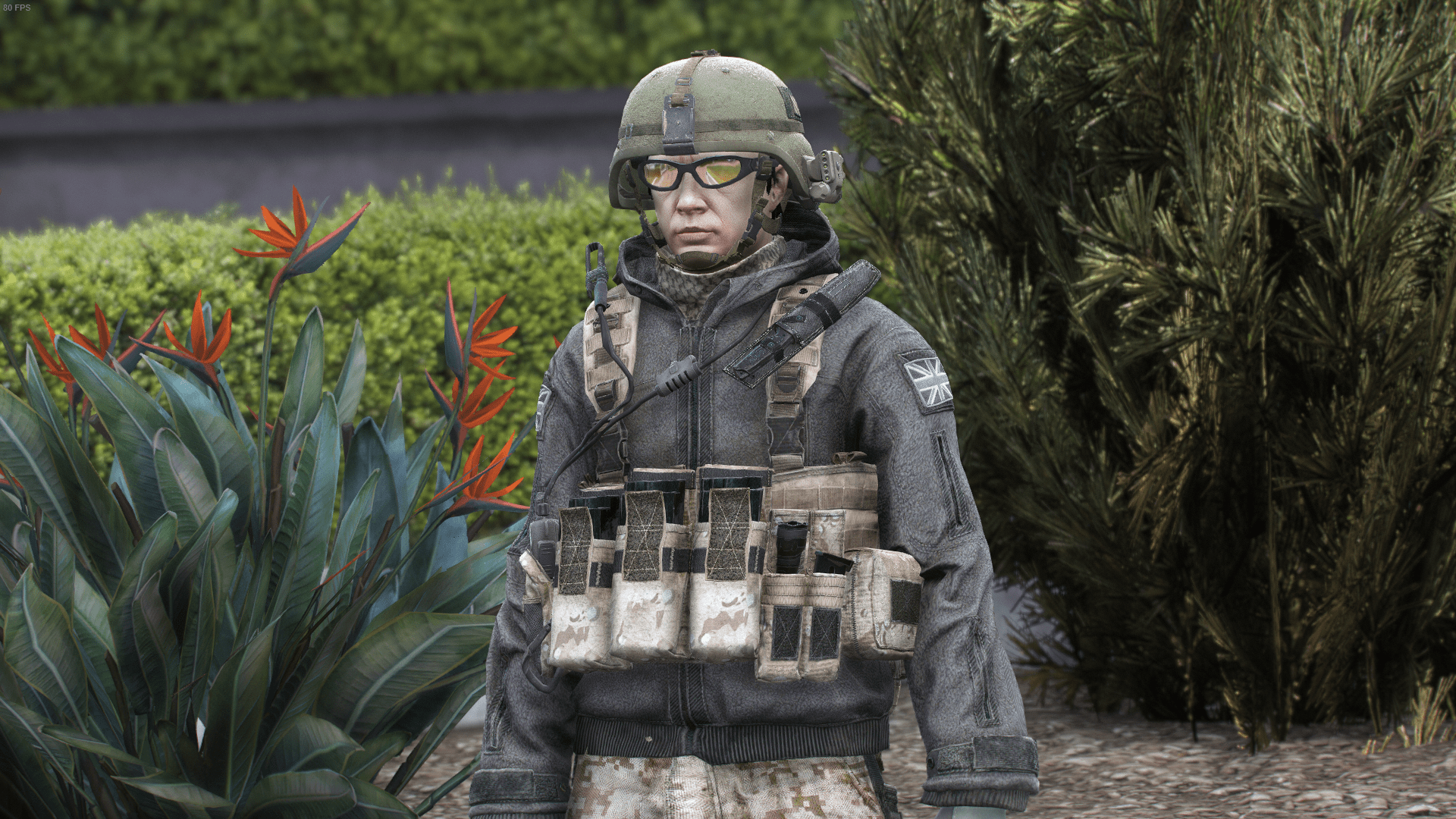
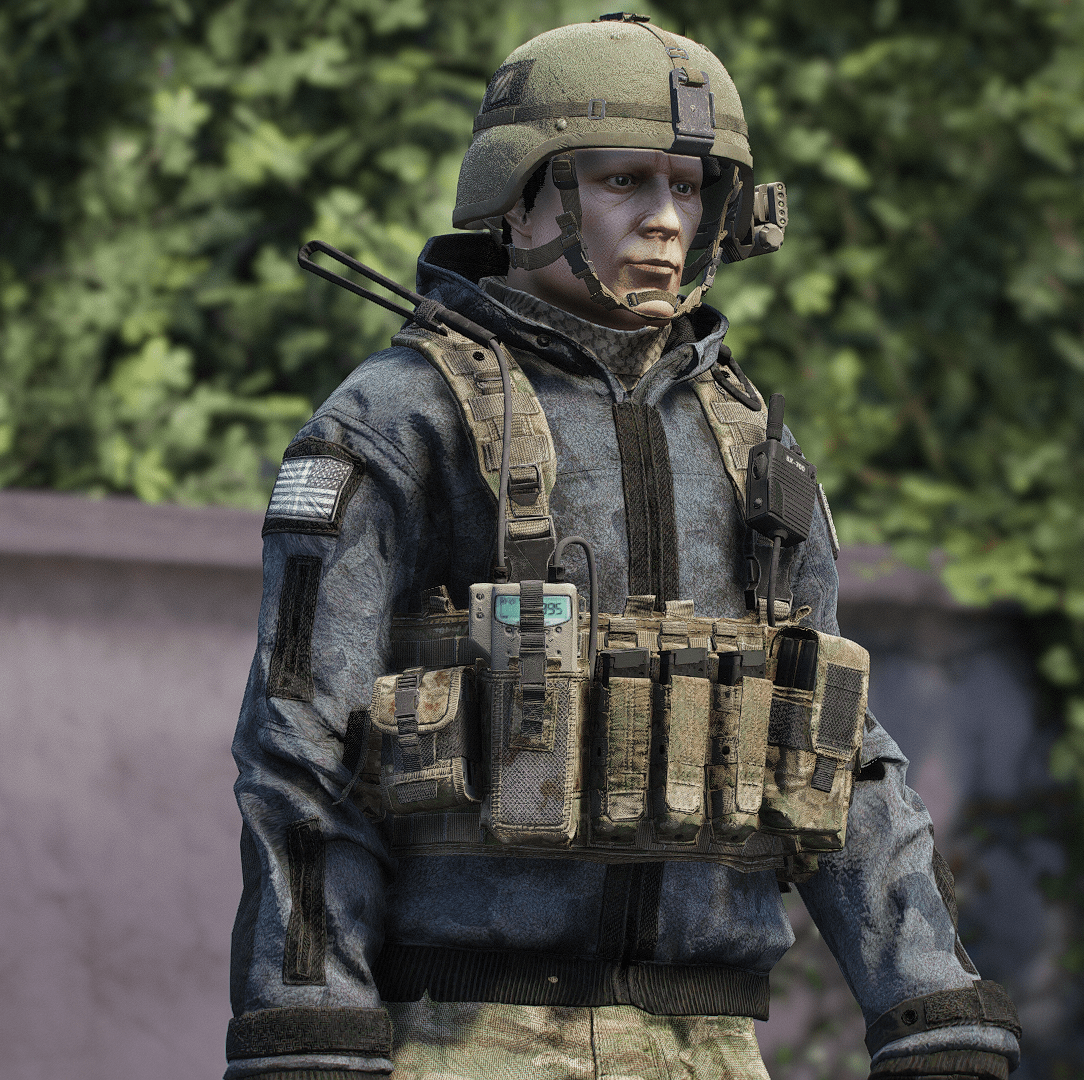
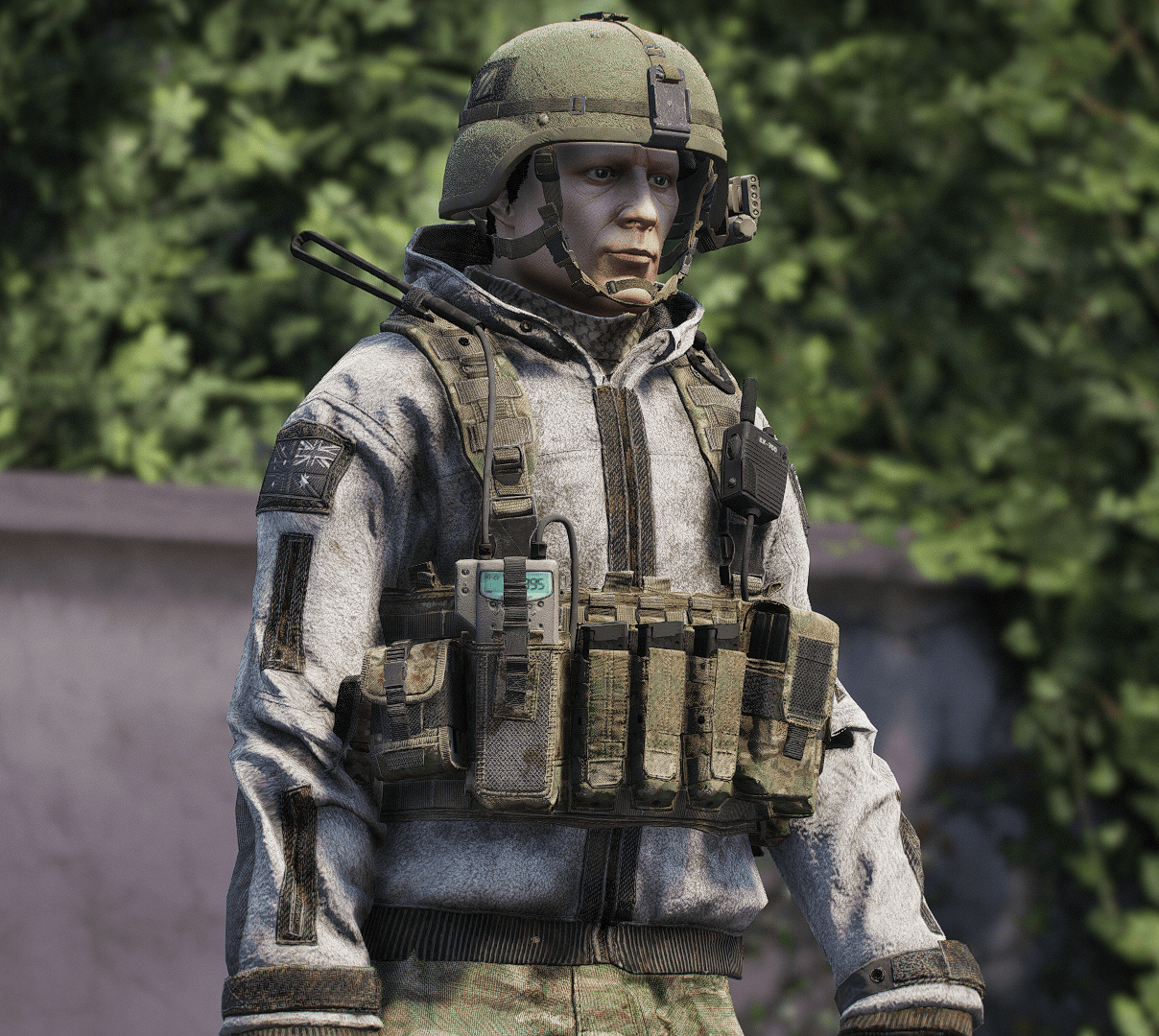
Task Force 141 EUP Pack [SP / FiveM Addon] [SinglePlayer Addon 2.0]
![U.S Marine Corps Formals EUP [SP & FiveM Addon]](https://img.gta5-mods.com/q75-w500-h333-cfill/images/u-s-marine-corps-formals-eup-sp-fivem-addon/988029-1.png "U.S Marine Corps Formals EUP [SP & FiveM Addon]")
![WW2 German Fallschirmjager (Airborne Paratrooper) Pack [SP / FiveM Addon]](https://img.gta5-mods.com/q75-w500-h333-cfill/images/ww2-german-fallschirmjager-airborne-paratrooper-pack-sp-fivem-addon/6d4c7b-1.png "WW2 German Fallschirmjager (Airborne Paratrooper) Pack [SP / FiveM Addon]")
![PMC Wagner EUP [SP & FiveM Addon]](https://img.gta5-mods.com/q75-w500-h333-cfill/images/pmc-wagner-eup-sp-fivem-addon/8cc37a-1.png "PMC Wagner EUP [SP & FiveM Addon]")
![Gulf War Era - Iraqi Armed Forces for MP Male [SP & FiveM Addon]](https://img.gta5-mods.com/q75-w500-h333-cfill/images/gulf-war-era-iraqi-armed-forces-for-mp-male-sp-fivem-addon/fb4b32-1.png "Gulf War Era - Iraqi Armed Forces for MP Male [SP & FiveM Addon]")



4.050
59
4.050
59
Game: Call of Duty: Modern Warfare 2 Campaign Remastered
Credits: Infinity Ward, Activision & Beenox
Features:
4 Mag Pouches
Various Vest Textures
Various Jacket Textures
2 Pants with 3 Textures
2 Shoes with 3 Textures
3 Helmets
1 Ghost Balaclava
1 Balaclava
Headset
Glasses
Beanie with Headset
Price Hat
Scarfs
Collar
Version 2.0:
- Rework
**Version 1.2:**
- Fixed FiveM YMT
**Version 1.1:**
- Fixed Drawables Crashing when opened in OpenIV
- Added FiveM Addon
- Fixed Jacket Weights
**Version 1.0:**
- Release
Ped Props fix for Singleplayer:
go to mods\update\update.rpf\common\data then open "dlclist.xml"
Remove anything that comes after 2023 update so 2024 & 2025 dlcpacks.
How to Install for SP
Go to your GTA 5 Directory
go to mods\update\x64\dlcpacks, then drag the "r4tf141" folder in the "SP" Folder into the dlcpacks folder
then go to mods\update\update.rpf\common\data then open "dlclist.xml"
at the Last line type in the Following:
"<Item>dlcpacks:/r4tf141/</Item>"
How to Install for FiveM Addon
Go to the Resource folder of the FiveM Server then go into a folder where you wish to add the eup in for example: [EUP], then drag and drop the "r4tf141" into that folder.
For Installation Tutorial, Watch
TylerTheGamer's Video!.
Credits: Infinity Ward, Activision & Beenox
Features:
4 Mag Pouches
Various Vest Textures
Various Jacket Textures
2 Pants with 3 Textures
2 Shoes with 3 Textures
3 Helmets
1 Ghost Balaclava
1 Balaclava
Headset
Glasses
Beanie with Headset
Price Hat
Scarfs
Collar
Version 2.0:
- Rework
**Version 1.2:**
- Fixed FiveM YMT
**Version 1.1:**
- Fixed Drawables Crashing when opened in OpenIV
- Added FiveM Addon
- Fixed Jacket Weights
**Version 1.0:**
- Release
Ped Props fix for Singleplayer:
go to mods\update\update.rpf\common\data then open "dlclist.xml"
Remove anything that comes after 2023 update so 2024 & 2025 dlcpacks.
How to Install for SP
Go to your GTA 5 Directory
go to mods\update\x64\dlcpacks, then drag the "r4tf141" folder in the "SP" Folder into the dlcpacks folder
then go to mods\update\update.rpf\common\data then open "dlclist.xml"
at the Last line type in the Following:
"<Item>dlcpacks:/r4tf141/</Item>"
How to Install for FiveM Addon
Go to the Resource folder of the FiveM Server then go into a folder where you wish to add the eup in for example: [EUP], then drag and drop the "r4tf141" into that folder.
For Installation Tutorial, Watch
TylerTheGamer's Video!.
Zuerst hochgeladen: 22. Mai 2023
Letztes Update: 9. April 2026
Last Downloaded: 5 hours ago
14 Kommentare
More mods by R4noo7076:
![Sikorsky CH-53 | MH-53 [Add-On | Tuning]](https://img.gta5-mods.com/q75-w500-h333-cfill/images/sikorsky-ch-53-mh-53-add-on-tuning-r4noo7076/f94fec-1.png "Sikorsky CH-53 | MH-53 [Add-On | Tuning]")
- Add-On
- Aircraft
- Helicopter
- Sikorsky
- Tuning
3.0
1.187
26
[SinglePlayer Addon 1.0]
By R4noo7076
Game: Call of Duty: Modern Warfare 2 Campaign Remastered
Credits: Infinity Ward, Activision & Beenox
Features:
4 Mag Pouches
Various Vest Textures
Various Jacket Textures
2 Pants with 3 Textures
2 Shoes with 3 Textures
3 Helmets
1 Ghost Balaclava
1 Balaclava
Headset
Glasses
Beanie with Headset
Price Hat
Scarfs
Collar
Version 2.0:
- Rework
**Version 1.2:**
- Fixed FiveM YMT
**Version 1.1:**
- Fixed Drawables Crashing when opened in OpenIV
- Added FiveM Addon
- Fixed Jacket Weights
**Version 1.0:**
- Release
Ped Props fix for Singleplayer:
go to mods\update\update.rpf\common\data then open "dlclist.xml"
Remove anything that comes after 2023 update so 2024 & 2025 dlcpacks.
How to Install for SP
Go to your GTA 5 Directory
go to mods\update\x64\dlcpacks, then drag the "r4tf141" folder in the "SP" Folder into the dlcpacks folder
then go to mods\update\update.rpf\common\data then open "dlclist.xml"
at the Last line type in the Following:
"<Item>dlcpacks:/r4tf141/</Item>"
How to Install for FiveM Addon
Go to the Resource folder of the FiveM Server then go into a folder where you wish to add the eup in for example: [EUP], then drag and drop the "r4tf141" into that folder.
For Installation Tutorial, Watch
TylerTheGamer's Video!.
Credits: Infinity Ward, Activision & Beenox
Features:
4 Mag Pouches
Various Vest Textures
Various Jacket Textures
2 Pants with 3 Textures
2 Shoes with 3 Textures
3 Helmets
1 Ghost Balaclava
1 Balaclava
Headset
Glasses
Beanie with Headset
Price Hat
Scarfs
Collar
Version 2.0:
- Rework
**Version 1.2:**
- Fixed FiveM YMT
**Version 1.1:**
- Fixed Drawables Crashing when opened in OpenIV
- Added FiveM Addon
- Fixed Jacket Weights
**Version 1.0:**
- Release
Ped Props fix for Singleplayer:
go to mods\update\update.rpf\common\data then open "dlclist.xml"
Remove anything that comes after 2023 update so 2024 & 2025 dlcpacks.
How to Install for SP
Go to your GTA 5 Directory
go to mods\update\x64\dlcpacks, then drag the "r4tf141" folder in the "SP" Folder into the dlcpacks folder
then go to mods\update\update.rpf\common\data then open "dlclist.xml"
at the Last line type in the Following:
"<Item>dlcpacks:/r4tf141/</Item>"
How to Install for FiveM Addon
Go to the Resource folder of the FiveM Server then go into a folder where you wish to add the eup in for example: [EUP], then drag and drop the "r4tf141" into that folder.
For Installation Tutorial, Watch
TylerTheGamer's Video!.
Zuerst hochgeladen: 22. Mai 2023
Letztes Update: 9. April 2026
Last Downloaded: 5 hours ago
 5mods on Discord

This file has been approved automatically. If you think this file should not be here for any reason please report it.
this is the best Call Of Duty mod
can you create for Michael , trevor or frank ?
best COD mod
Can you make Grinch "Gilded Assassin"? ._.
Can you make Arctic Spetsnaz&
Nice
where should i throw it away
Is there any chance you will make Yevgeniy Prigozhin in his tactical clothes? That would be so cool!
Very cool clothes set! Any plans on making other variants, like Favela, Desert or Arctic?
how do i install it?
como se instala?
Bro we know how to install an addon, but you're only giving us half the information! Do we use menyoo to spawn? Simple Trainer? Do we add the ped files into pedselector?
I beg you bro, please elaborate your instructions a bit better
@PCLoadLetter84 these are clothing for the MP Male Ped, you spawn it with menyoo & go through the categories in the wardrobe (they should be at the end of the numbers).