OpenIV 4.1







9.278.114
5.301
9.278.114
5.301
www.openiv.com
OpenIV is a multi-purpose editor and archive manager for PC versions of Grand Theft Auto V, Grand Theft Auto IV/EFLC and Max Payne 3.
What's new in OpenIV 4.1:
Full change log https://openiv.com/?p=1777
What’s new in OpenIV 4.0:
• Red Dead Redemption 2 support
What’s new in OpenIV 3.2:
• Support for many GTA V ymt files
What’s new in OpenIV 3.1:
• GTAV: pedpersonality.ymt support
• XML Syntax validation in OpenIV Text Editor
Full change log http://openiv.com/?p=1483
What’s new in OpenIV 3.0:
• GTA V for PlayStation 4 support
• GTA V Vehicles animations player
• Proper multichannel audio support
• openFormats support for YVR
• support for new shaders in openFormats for GTA V models.
Full change log http://openiv.com/?p=1393
What’s new in OpenIV 2.9.2:
First time since 2015, we have updated OpenIV.ASI – our plugin, which provides mods support for Grand Theft Auto V. The latest version of GTA V has some non-critical changes in the code, which affected by OpenIV.ASI, and we made similar changes in our code. Without those changes in OpenIV.ASI, your game had crash during loading screen in some very specific scenario, only when you have Simplified Chinese language selected in game. Use ASI Manager to update OpenIV.ASI in your game folder.
• We fixed an issue where sometimes OpenIV crashes while renaming folders inside archives.
• We fixed an issue where import of texture image with 2×2 sizes was impossible due to infinite loading.
• We fixed an issue where files was not shown in OpenIV after they was drag-and-dropped in game folder using Windows File Explorer.
What’s new in OpenIV 2.9.1:
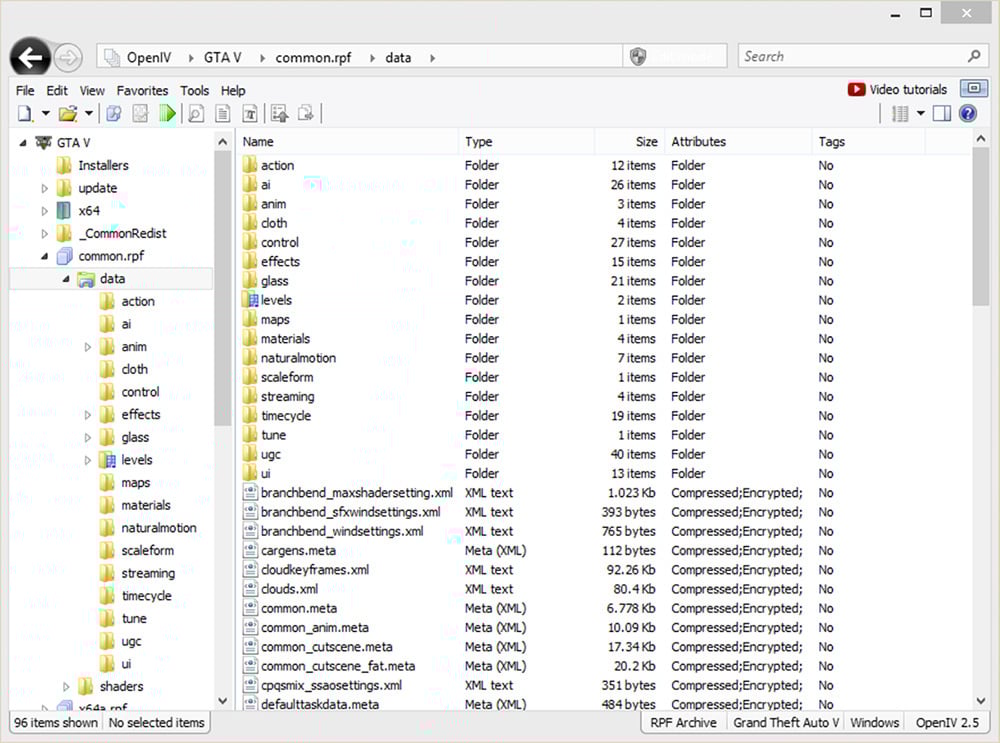
Open folder: You now can open folders the same way as archives. Use menu “File > Open folder…” and select folder you want to open. Selected folder will appear at the end of the list in navigation tree.
Delete confirmation dialog: OpenIV will now show you delete configuration dialog, it will help you to avoid accidental removal of game files. You can disable this feature in OpenIV configuration.
Grand Theft Auto V
• We added support for carvariations.ymt file
• We added support for vfxvehicleinfo.ymt file
You can edit those files using inbuilt OpenIV Text editor or export them to META/XML format.
Grand Theft Auto IV
• We fixed an issue where wrong High Level Code was generated in SCO Viewer.
General changes, improvements, and fixes
• We fixed an issue where it was impossible to use context menu on travel buttons (Back/Forward) when history list contain many items.
• We fixed an issue where some users might get “Unable to initialize Windows DirectX subsystem” fatal error message.
• We added ability to use keyboard arrow keys to navigate through shaders information in models viewer.
• We made minor visual changes in “More information” dialog in models viewer.
• We fixed an issue where users might see “Confirm edit mode” dialog while creating archive in edit mode.
• We changed keyboard shortcut for creating new archive from “Ctrl + N” to “Ctrl + Shift + N”.
• We added ability to use “Ctrl + N” keyboard shortcut for creating new archive in current location (Same as “Ctrl + D” for folder).
• We fixed an issue where status bar does not updates when items are added or removed.
• We fixed an issue resulting in unexpected behavior when double-clicking on group header in file list.
• You now can use “Shift + Delete” keyboard shortcut for permanently deleting files while using Recycle Bin (This works for files on disk not for files in archives).
• We fixed an issue resulting in “Edit mode” button become disabled in specific scenario.
• We improved support for Junctions or Symbolic links. You now will be able to use global search while your game folder is Symbolic links.
• We changed the way how Size column is displayed in file list. Now it works just like Windows File Explorer.
• Some more changes was made, they are minor or are not worthy of mention.
Version 2.9:
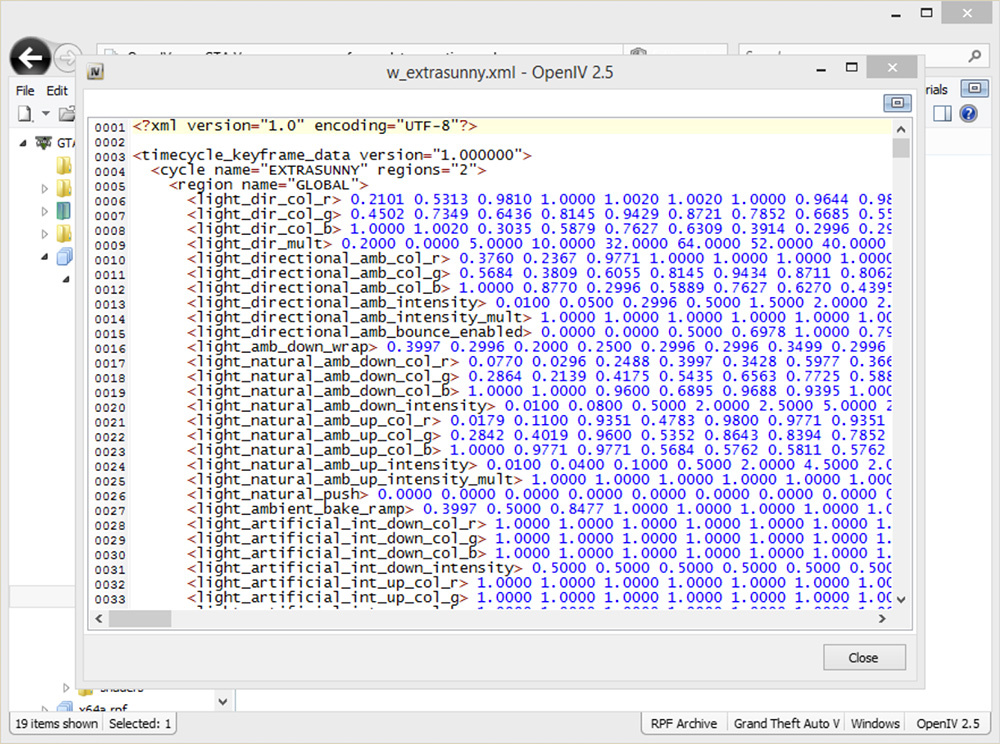
Inbuilt Text Editor
Support for .ymap, .ytyp, _manifest.ymt, carcols.ymt and levels.ymt
Improved openFormats for Grand Theft Auto V
Search improvements
UI Improvements and bug fixes
And more
Version 2.8:
openFormats for Grand Theft Auto V models
Package Installer improvements
Administrator mode notification
UI Improvements and bug fixes
And more
Version 2.7:
openFormats development
Brand new Package Installer
Improved support for "mods" folder in Grand Theft Auto V
Bug fixes and minor improvements
Version 2.6.4:
Audio Exporting
Ability to export audio files to .wav format
Audio Editing
Ability to edit audio files (.awc) like weapon and vehicle sounds
Version 2.6.3:
ASI Manager
New tool named “ASI Manager” allows you to easily install or uninstall ASI loader and our plugins for GTAV.
OpenIV.ASI 1.1
New version of OpenIV.ASI gives you ability to keep original GTAV files safe and put mods into special “mods” folder. Just put archive (for example, x64a.rpf) you want to mod into “mods” folder and made changes in that copy. OpenIV.ASI will force game load your archives form “mods” folder. In addition, if you want to switch back to original files just remove OpenIV.ASI and ASI Loader using ASI Manager.
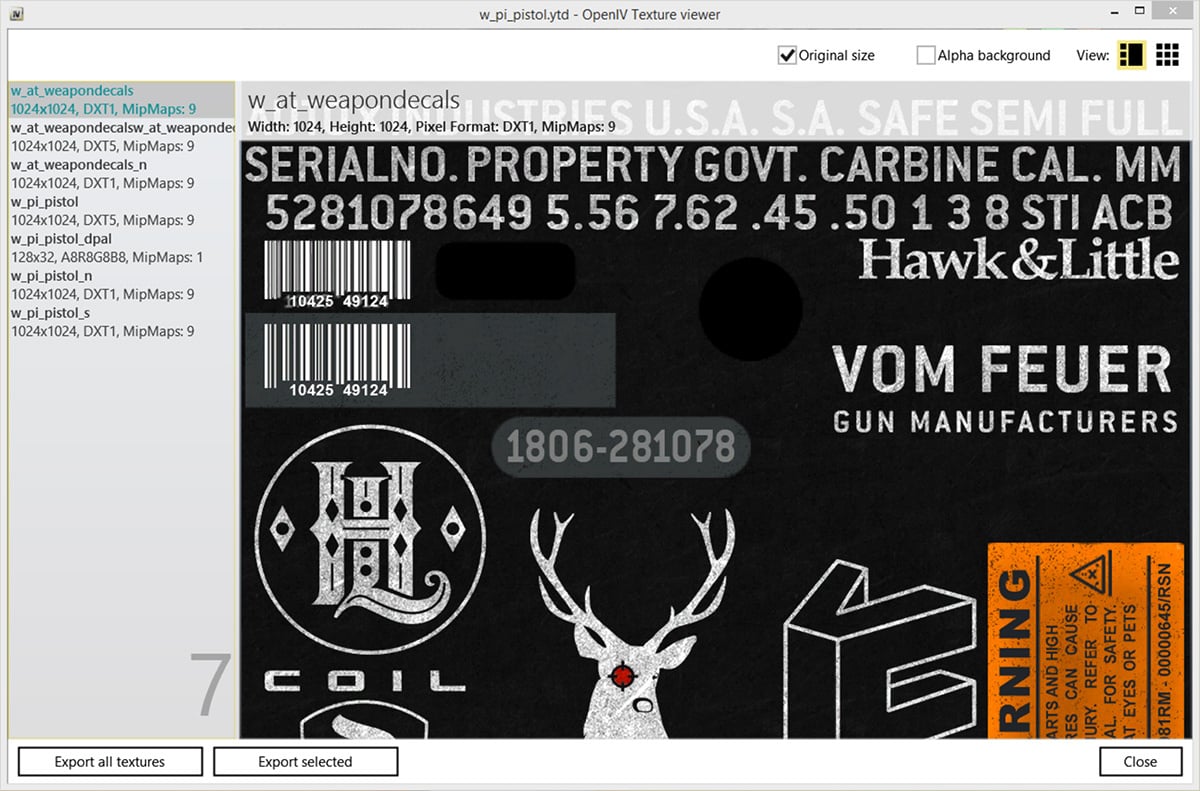
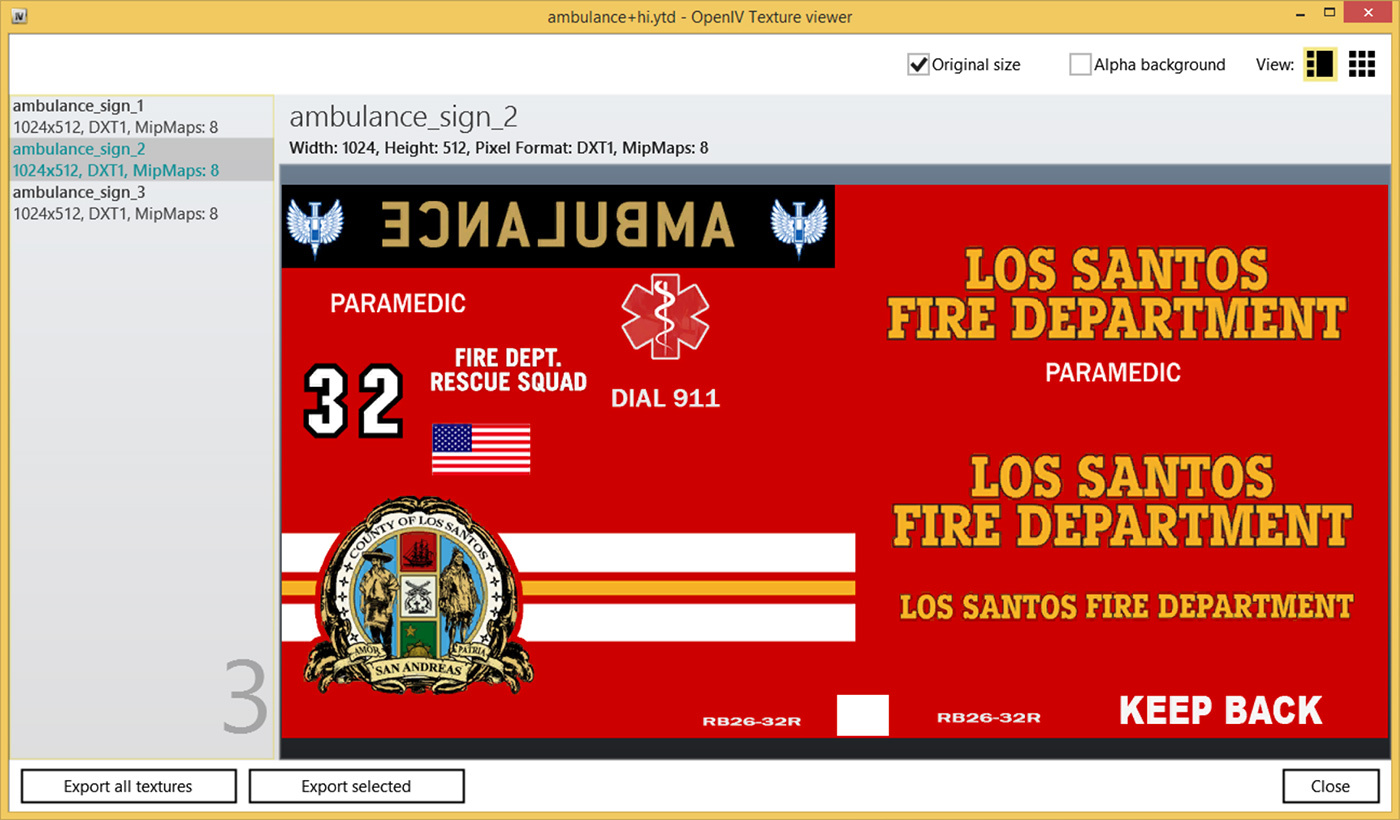
Texture editor for GTA V
Powerful OpenIV texture editor now have support for GTA V .ytd texture files. You are free to edit any .ytd files using all features we have.
Fragment Models Viewer
Finally, OpenIV fragment models viewer got support of GTA V .yft files. This will allows you to view GTAV vehicles models.
Critical bug fixed
We also have fixed some critical issues in our code. Now you have less chance to corrupt your files.
OpenIV is a multi-purpose editor and archive manager for PC versions of Grand Theft Auto V, Grand Theft Auto IV/EFLC and Max Payne 3.
What's new in OpenIV 4.1:
Full change log https://openiv.com/?p=1777
What’s new in OpenIV 4.0:
• Red Dead Redemption 2 support
What’s new in OpenIV 3.2:
• Support for many GTA V ymt files
What’s new in OpenIV 3.1:
• GTAV: pedpersonality.ymt support
• XML Syntax validation in OpenIV Text Editor
Full change log http://openiv.com/?p=1483
What’s new in OpenIV 3.0:
• GTA V for PlayStation 4 support
• GTA V Vehicles animations player
• Proper multichannel audio support
• openFormats support for YVR
• support for new shaders in openFormats for GTA V models.
Full change log http://openiv.com/?p=1393
What’s new in OpenIV 2.9.2:
First time since 2015, we have updated OpenIV.ASI – our plugin, which provides mods support for Grand Theft Auto V. The latest version of GTA V has some non-critical changes in the code, which affected by OpenIV.ASI, and we made similar changes in our code. Without those changes in OpenIV.ASI, your game had crash during loading screen in some very specific scenario, only when you have Simplified Chinese language selected in game. Use ASI Manager to update OpenIV.ASI in your game folder.
• We fixed an issue where sometimes OpenIV crashes while renaming folders inside archives.
• We fixed an issue where import of texture image with 2×2 sizes was impossible due to infinite loading.
• We fixed an issue where files was not shown in OpenIV after they was drag-and-dropped in game folder using Windows File Explorer.
What’s new in OpenIV 2.9.1:
Open folder: You now can open folders the same way as archives. Use menu “File > Open folder…” and select folder you want to open. Selected folder will appear at the end of the list in navigation tree.
Delete confirmation dialog: OpenIV will now show you delete configuration dialog, it will help you to avoid accidental removal of game files. You can disable this feature in OpenIV configuration.
Grand Theft Auto V
• We added support for carvariations.ymt file
• We added support for vfxvehicleinfo.ymt file
You can edit those files using inbuilt OpenIV Text editor or export them to META/XML format.
Grand Theft Auto IV
• We fixed an issue where wrong High Level Code was generated in SCO Viewer.
General changes, improvements, and fixes
• We fixed an issue where it was impossible to use context menu on travel buttons (Back/Forward) when history list contain many items.
• We fixed an issue where some users might get “Unable to initialize Windows DirectX subsystem” fatal error message.
• We added ability to use keyboard arrow keys to navigate through shaders information in models viewer.
• We made minor visual changes in “More information” dialog in models viewer.
• We fixed an issue where users might see “Confirm edit mode” dialog while creating archive in edit mode.
• We changed keyboard shortcut for creating new archive from “Ctrl + N” to “Ctrl + Shift + N”.
• We added ability to use “Ctrl + N” keyboard shortcut for creating new archive in current location (Same as “Ctrl + D” for folder).
• We fixed an issue where status bar does not updates when items are added or removed.
• We fixed an issue resulting in unexpected behavior when double-clicking on group header in file list.
• You now can use “Shift + Delete” keyboard shortcut for permanently deleting files while using Recycle Bin (This works for files on disk not for files in archives).
• We fixed an issue resulting in “Edit mode” button become disabled in specific scenario.
• We improved support for Junctions or Symbolic links. You now will be able to use global search while your game folder is Symbolic links.
• We changed the way how Size column is displayed in file list. Now it works just like Windows File Explorer.
• Some more changes was made, they are minor or are not worthy of mention.
Version 2.9:
Inbuilt Text Editor
Support for .ymap, .ytyp, _manifest.ymt, carcols.ymt and levels.ymt
Improved openFormats for Grand Theft Auto V
Search improvements
UI Improvements and bug fixes
And more
Version 2.8:
openFormats for Grand Theft Auto V models
Package Installer improvements
Administrator mode notification
UI Improvements and bug fixes
And more
Version 2.7:
openFormats development
Brand new Package Installer
Improved support for "mods" folder in Grand Theft Auto V
Bug fixes and minor improvements
Version 2.6.4:
Audio Exporting
Ability to export audio files to .wav format
Audio Editing
Ability to edit audio files (.awc) like weapon and vehicle sounds
Version 2.6.3:
ASI Manager
New tool named “ASI Manager” allows you to easily install or uninstall ASI loader and our plugins for GTAV.
OpenIV.ASI 1.1
New version of OpenIV.ASI gives you ability to keep original GTAV files safe and put mods into special “mods” folder. Just put archive (for example, x64a.rpf) you want to mod into “mods” folder and made changes in that copy. OpenIV.ASI will force game load your archives form “mods” folder. In addition, if you want to switch back to original files just remove OpenIV.ASI and ASI Loader using ASI Manager.
Texture editor for GTA V
Powerful OpenIV texture editor now have support for GTA V .ytd texture files. You are free to edit any .ytd files using all features we have.
Fragment Models Viewer
Finally, OpenIV fragment models viewer got support of GTA V .yft files. This will allows you to view GTAV vehicles models.
Critical bug fixed
We also have fixed some critical issues in our code. Now you have less chance to corrupt your files.
Zuerst hochgeladen: 20. April 2015
Letztes Update: 29. Dezember 2018
Last Downloaded: 1 minute ago
3.254 Kommentare
More mods by OpenIV Team:
www.openiv.com
OpenIV is a multi-purpose editor and archive manager for PC versions of Grand Theft Auto V, Grand Theft Auto IV/EFLC and Max Payne 3.
What's new in OpenIV 4.1:
Full change log https://openiv.com/?p=1777
What’s new in OpenIV 4.0:
• Red Dead Redemption 2 support
What’s new in OpenIV 3.2:
• Support for many GTA V ymt files
What’s new in OpenIV 3.1:
• GTAV: pedpersonality.ymt support
• XML Syntax validation in OpenIV Text Editor
Full change log http://openiv.com/?p=1483
What’s new in OpenIV 3.0:
• GTA V for PlayStation 4 support
• GTA V Vehicles animations player
• Proper multichannel audio support
• openFormats support for YVR
• support for new shaders in openFormats for GTA V models.
Full change log http://openiv.com/?p=1393
What’s new in OpenIV 2.9.2:
First time since 2015, we have updated OpenIV.ASI – our plugin, which provides mods support for Grand Theft Auto V. The latest version of GTA V has some non-critical changes in the code, which affected by OpenIV.ASI, and we made similar changes in our code. Without those changes in OpenIV.ASI, your game had crash during loading screen in some very specific scenario, only when you have Simplified Chinese language selected in game. Use ASI Manager to update OpenIV.ASI in your game folder.
• We fixed an issue where sometimes OpenIV crashes while renaming folders inside archives.
• We fixed an issue where import of texture image with 2×2 sizes was impossible due to infinite loading.
• We fixed an issue where files was not shown in OpenIV after they was drag-and-dropped in game folder using Windows File Explorer.
What’s new in OpenIV 2.9.1:
Open folder: You now can open folders the same way as archives. Use menu “File > Open folder…” and select folder you want to open. Selected folder will appear at the end of the list in navigation tree.
Delete confirmation dialog: OpenIV will now show you delete configuration dialog, it will help you to avoid accidental removal of game files. You can disable this feature in OpenIV configuration.
Grand Theft Auto V
• We added support for carvariations.ymt file
• We added support for vfxvehicleinfo.ymt file
You can edit those files using inbuilt OpenIV Text editor or export them to META/XML format.
Grand Theft Auto IV
• We fixed an issue where wrong High Level Code was generated in SCO Viewer.
General changes, improvements, and fixes
• We fixed an issue where it was impossible to use context menu on travel buttons (Back/Forward) when history list contain many items.
• We fixed an issue where some users might get “Unable to initialize Windows DirectX subsystem” fatal error message.
• We added ability to use keyboard arrow keys to navigate through shaders information in models viewer.
• We made minor visual changes in “More information” dialog in models viewer.
• We fixed an issue where users might see “Confirm edit mode” dialog while creating archive in edit mode.
• We changed keyboard shortcut for creating new archive from “Ctrl + N” to “Ctrl + Shift + N”.
• We added ability to use “Ctrl + N” keyboard shortcut for creating new archive in current location (Same as “Ctrl + D” for folder).
• We fixed an issue where status bar does not updates when items are added or removed.
• We fixed an issue resulting in unexpected behavior when double-clicking on group header in file list.
• You now can use “Shift + Delete” keyboard shortcut for permanently deleting files while using Recycle Bin (This works for files on disk not for files in archives).
• We fixed an issue resulting in “Edit mode” button become disabled in specific scenario.
• We improved support for Junctions or Symbolic links. You now will be able to use global search while your game folder is Symbolic links.
• We changed the way how Size column is displayed in file list. Now it works just like Windows File Explorer.
• Some more changes was made, they are minor or are not worthy of mention.
Version 2.9:
Inbuilt Text Editor
Support for .ymap, .ytyp, _manifest.ymt, carcols.ymt and levels.ymt
Improved openFormats for Grand Theft Auto V
Search improvements
UI Improvements and bug fixes
And more
Version 2.8:
openFormats for Grand Theft Auto V models
Package Installer improvements
Administrator mode notification
UI Improvements and bug fixes
And more
Version 2.7:
openFormats development
Brand new Package Installer
Improved support for "mods" folder in Grand Theft Auto V
Bug fixes and minor improvements
Version 2.6.4:
Audio Exporting
Ability to export audio files to .wav format
Audio Editing
Ability to edit audio files (.awc) like weapon and vehicle sounds
Version 2.6.3:
ASI Manager
New tool named “ASI Manager” allows you to easily install or uninstall ASI loader and our plugins for GTAV.
OpenIV.ASI 1.1
New version of OpenIV.ASI gives you ability to keep original GTAV files safe and put mods into special “mods” folder. Just put archive (for example, x64a.rpf) you want to mod into “mods” folder and made changes in that copy. OpenIV.ASI will force game load your archives form “mods” folder. In addition, if you want to switch back to original files just remove OpenIV.ASI and ASI Loader using ASI Manager.
Texture editor for GTA V
Powerful OpenIV texture editor now have support for GTA V .ytd texture files. You are free to edit any .ytd files using all features we have.
Fragment Models Viewer
Finally, OpenIV fragment models viewer got support of GTA V .yft files. This will allows you to view GTAV vehicles models.
Critical bug fixed
We also have fixed some critical issues in our code. Now you have less chance to corrupt your files.
OpenIV is a multi-purpose editor and archive manager for PC versions of Grand Theft Auto V, Grand Theft Auto IV/EFLC and Max Payne 3.
What's new in OpenIV 4.1:
Full change log https://openiv.com/?p=1777
What’s new in OpenIV 4.0:
• Red Dead Redemption 2 support
What’s new in OpenIV 3.2:
• Support for many GTA V ymt files
What’s new in OpenIV 3.1:
• GTAV: pedpersonality.ymt support
• XML Syntax validation in OpenIV Text Editor
Full change log http://openiv.com/?p=1483
What’s new in OpenIV 3.0:
• GTA V for PlayStation 4 support
• GTA V Vehicles animations player
• Proper multichannel audio support
• openFormats support for YVR
• support for new shaders in openFormats for GTA V models.
Full change log http://openiv.com/?p=1393
What’s new in OpenIV 2.9.2:
First time since 2015, we have updated OpenIV.ASI – our plugin, which provides mods support for Grand Theft Auto V. The latest version of GTA V has some non-critical changes in the code, which affected by OpenIV.ASI, and we made similar changes in our code. Without those changes in OpenIV.ASI, your game had crash during loading screen in some very specific scenario, only when you have Simplified Chinese language selected in game. Use ASI Manager to update OpenIV.ASI in your game folder.
• We fixed an issue where sometimes OpenIV crashes while renaming folders inside archives.
• We fixed an issue where import of texture image with 2×2 sizes was impossible due to infinite loading.
• We fixed an issue where files was not shown in OpenIV after they was drag-and-dropped in game folder using Windows File Explorer.
What’s new in OpenIV 2.9.1:
Open folder: You now can open folders the same way as archives. Use menu “File > Open folder…” and select folder you want to open. Selected folder will appear at the end of the list in navigation tree.
Delete confirmation dialog: OpenIV will now show you delete configuration dialog, it will help you to avoid accidental removal of game files. You can disable this feature in OpenIV configuration.
Grand Theft Auto V
• We added support for carvariations.ymt file
• We added support for vfxvehicleinfo.ymt file
You can edit those files using inbuilt OpenIV Text editor or export them to META/XML format.
Grand Theft Auto IV
• We fixed an issue where wrong High Level Code was generated in SCO Viewer.
General changes, improvements, and fixes
• We fixed an issue where it was impossible to use context menu on travel buttons (Back/Forward) when history list contain many items.
• We fixed an issue where some users might get “Unable to initialize Windows DirectX subsystem” fatal error message.
• We added ability to use keyboard arrow keys to navigate through shaders information in models viewer.
• We made minor visual changes in “More information” dialog in models viewer.
• We fixed an issue where users might see “Confirm edit mode” dialog while creating archive in edit mode.
• We changed keyboard shortcut for creating new archive from “Ctrl + N” to “Ctrl + Shift + N”.
• We added ability to use “Ctrl + N” keyboard shortcut for creating new archive in current location (Same as “Ctrl + D” for folder).
• We fixed an issue where status bar does not updates when items are added or removed.
• We fixed an issue resulting in unexpected behavior when double-clicking on group header in file list.
• You now can use “Shift + Delete” keyboard shortcut for permanently deleting files while using Recycle Bin (This works for files on disk not for files in archives).
• We fixed an issue resulting in “Edit mode” button become disabled in specific scenario.
• We improved support for Junctions or Symbolic links. You now will be able to use global search while your game folder is Symbolic links.
• We changed the way how Size column is displayed in file list. Now it works just like Windows File Explorer.
• Some more changes was made, they are minor or are not worthy of mention.
Version 2.9:
Inbuilt Text Editor
Support for .ymap, .ytyp, _manifest.ymt, carcols.ymt and levels.ymt
Improved openFormats for Grand Theft Auto V
Search improvements
UI Improvements and bug fixes
And more
Version 2.8:
openFormats for Grand Theft Auto V models
Package Installer improvements
Administrator mode notification
UI Improvements and bug fixes
And more
Version 2.7:
openFormats development
Brand new Package Installer
Improved support for "mods" folder in Grand Theft Auto V
Bug fixes and minor improvements
Version 2.6.4:
Audio Exporting
Ability to export audio files to .wav format
Audio Editing
Ability to edit audio files (.awc) like weapon and vehicle sounds
Version 2.6.3:
ASI Manager
New tool named “ASI Manager” allows you to easily install or uninstall ASI loader and our plugins for GTAV.
OpenIV.ASI 1.1
New version of OpenIV.ASI gives you ability to keep original GTAV files safe and put mods into special “mods” folder. Just put archive (for example, x64a.rpf) you want to mod into “mods” folder and made changes in that copy. OpenIV.ASI will force game load your archives form “mods” folder. In addition, if you want to switch back to original files just remove OpenIV.ASI and ASI Loader using ASI Manager.
Texture editor for GTA V
Powerful OpenIV texture editor now have support for GTA V .ytd texture files. You are free to edit any .ytd files using all features we have.
Fragment Models Viewer
Finally, OpenIV fragment models viewer got support of GTA V .yft files. This will allows you to view GTAV vehicles models.
Critical bug fixed
We also have fixed some critical issues in our code. Now you have less chance to corrupt your files.
Zuerst hochgeladen: 20. April 2015
Letztes Update: 29. Dezember 2018
Last Downloaded: 1 minute ago
 5mods on Discord

If OpenIV is not available in your language, we have an instruction how to translate OpenIV into your own language and we are calling for you to do so.
You can find the localization guide here on GitHub:
https://github.com/GooD-NTS/OpenIV-Languages
Well, if the openiv damaged the files :(
Crashes under Wine in several seconds.
Can't download older versions because it automatically updates on setup.
Sadly, no alternatives for Linux.
How can i get rid of this message? There must be a checkmark to hide it
https://prnt.sc/1qdsyia
@GooD-NTS HI there. What's been happening of late with OpenIV development? Not much has been said in the last few months, nor the Roadmap has been updated. Would be great if you could let the community know how 4.1 is progressing.
Is it possible to open an RPF file without admin rights? I lost access to my admin password and I want to open a single addon RPF file.
Worst software ever obviously a russian virus/botnet and corrupts game data Russian garbage DONT DOWNLOAD
@Mohamed ENsay a virus
^ this is what happens when false virus reports are made
@ReNNie facts
@GooD-NTS GTA Trilogy Support Added when? OpenIV hasn't really updated since adding RDR2 file reading support. I feel TakeTwo's cease & desist is still in work basically allowing for OpenIV's current state but to hault any further development & updates.
sorry but i have install open4 and i can't tell at the program where is the gta 5 game can i have a help pls??
The foundation of GTAV modding
This package cannot be installed to the mods folder because it does not affect any RPF archives. Never though downloading packages must have exceptions. Pretty frustrating.
I try to download this but when I click on my GTAV folder it says that it doesn`t have encryption_bin.bat, what do I do
the god of modding preciate this
@MrNo1 it's happening to me too, i had to uninstall it
bro when i gonna put my gta v folder in open iv it crashes
Bom trabalho.
New version in here > https://openiv.com
For the mods folder... do I have to put all archives in or just the ones I will be editing? I have only mods for update.rpf so do I have to put others too?